How to deploy a Cursor app to production in 2026
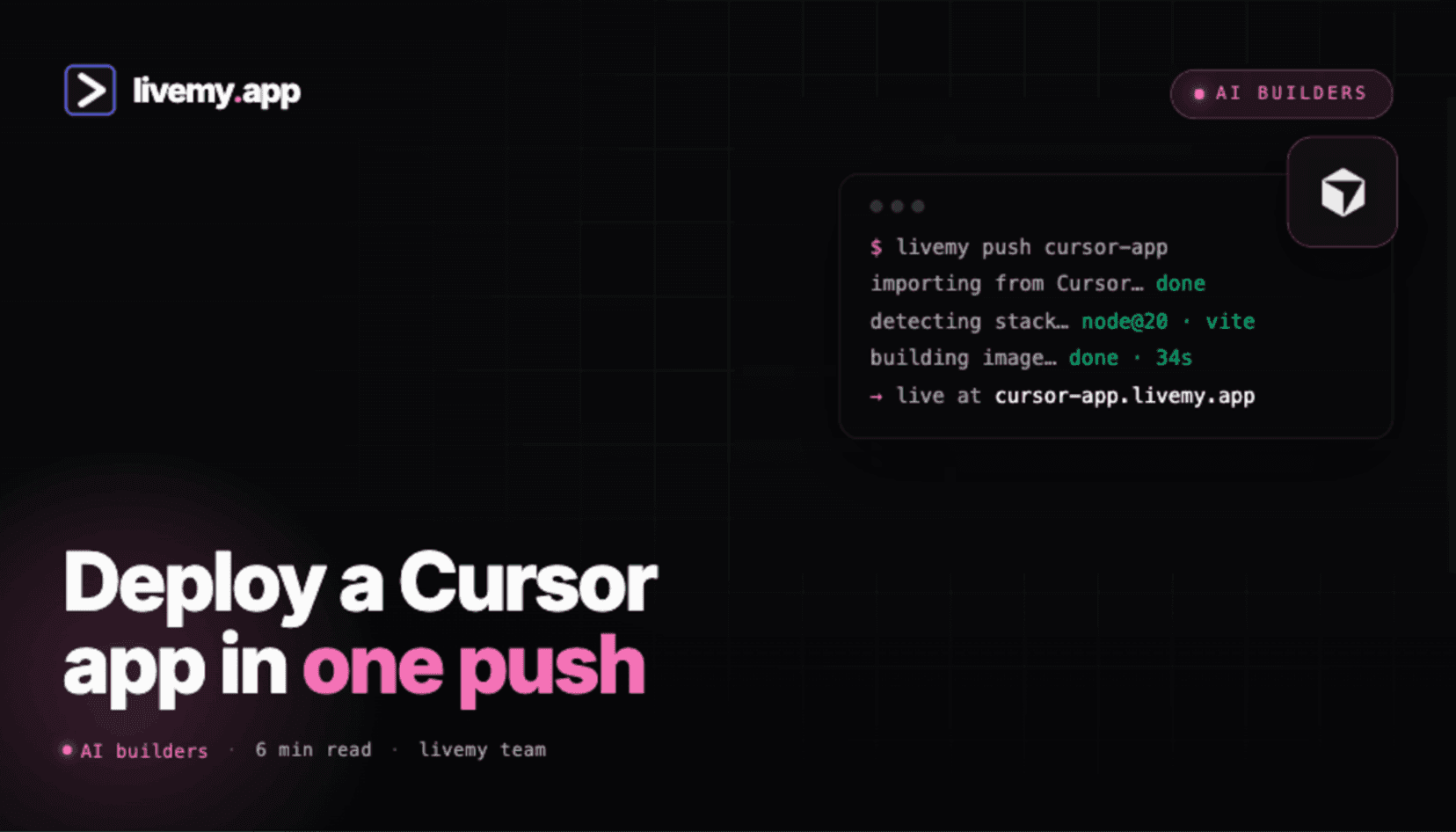
Cursor is the AI IDE that took over 2025. It builds your app brilliantly — then leaves you at the "now deploy this" step. Three ways to go from a Cursor project to a live URL, plus the 3-minute flow to livemy.app.
Dmytro Chervonyi
Co-founder & CMO, livemy.app
Last updated
TABLE OF CONTENTS
item
AI Summary
Cursor is the AI-native IDE that became the default code editor for vibe coders in 2025 — fork of VS Code, AI everywhere, $20/month Pro plan. Unlike Lovable, Bolt, or v0, Cursor doesn't host your app for you. The build is great; the deploy step is where most non-developer Cursor users get stuck. The standard workflow is: build in Cursor → commit to GitHub → deploy from GitHub to a host of your choice. This guide walks the three deployment paths (Vercel for Next.js, Cloudflare Pages for static, livemy.app for everything else with one click), the five gotchas that quietly break Cursor-built apps in production (environment variables, AI-generated test endpoints, hardcoded localhost URLs, missing dependencies, SPA routing), and the 3-minute flow from a Cursor project to a live livemy.app URL.
What Cursor is and what it doesn't do
Cursor is the AI-native IDE — a fork of VS Code with deep AI integration. It's the default tool of choice for technical builders in 2026, including the non-developer crowd who learned to read and edit code through AI. Pro is $20/month with the heaviest models; Free covers most workflows.
What Cursor does brilliantly: write code with you, refactor, find bugs, work across files. What Cursor does not do: host your app. Cursor is an editor, not a platform. The moment your app needs to be on a real URL, you're outside Cursor's scope.
This is where most Cursor builders get stuck. The build is fast; the deploy step is the surprise.
The standard Cursor-to-production workflow
There's a consistent shape that works for almost any Cursor project.
Build the app in Cursor. Iterate with the AI until your local
npm run devlooks right.Commit to GitHub. Cursor has a built-in Git panel that handles initial repo creation and ongoing commits without leaving the editor.
Connect a host to the GitHub repo. One-click on most modern hosts.
Configure environment variables on the host. The single step that breaks most Cursor deploys.
Point a domain at it. Optional but usually wanted.
Every part below is how to actually do each of those steps without DevOps experience.
Three ways to deploy a Cursor app
Path A: Vercel (if you built a Next.js app)
If your Cursor project is Next.js, Vercel is the path of least resistance. Connect the GitHub repo to Vercel, click Deploy, get a your-app.vercel.app URL in 60 seconds.
The catches. Vercel Hobby is free but forbids commercial use. Vercel Pro is $20/seat/month, plus usage-based billing for bandwidth, function invocations, and image optimization. Real-world Pro bills land in the $30–60/month range for modest production apps.
When this works. Personal Next.js project, you're under Vercel's free limits, you don't mind the per-seat pricing if it grows.
Path B: Cloudflare Pages (for static sites and simple Next.js)
Free with unlimited bandwidth, no commercial restriction. Connect the GitHub repo, Cloudflare detects the framework, deploys. Custom domain free.
The catches. Next.js support is via Cloudflare's OpenNext adapter (the older @cloudflare/next-on-pages package is now deprecated) — it works for most apps, though Server Actions and some edge cases still need workarounds. Static sites and Vite + React apps work without issue.
When this works. Static site, landing page, marketing site, or a Next.js app without heavy Server Actions.
Path C: livemy.app one-click deploy
Connect your GitHub repo. livemy.app auto-detects the framework (Vite, Next.js, Astro, plain HTML, Node, Python), configures the build, deploys. Custom domain + free SSL + monitoring + backups included.
The good. Three-minute deploy. $10/month flat on Maker. No per-seat fees. No compute metering.
When this works. You want a flat predictable bill. Your app uses anything beyond pure Next.js. You're shipping multiple apps from one account.
From Cursor to a live URL on livemy.app (about 3 minutes)
Step 1: Commit your project to GitHub from Cursor
Open the Source Control panel in Cursor (Cmd+Shift+G on Mac, Ctrl+Shift+G on Windows). If the repo isn't initialized yet, click Initialize Repository, then Publish to GitHub. Cursor handles the GitHub authentication if you haven't done it before, creates a new repo under your account, and pushes your code.
For ongoing edits, the same panel shows your changes; click Commit, write a message, click Sync.
Step 2: Sign up at livemy.app
Go to livemy.app, click Start free. No credit card. The Free plan is built for trying a deploy — 1 project on a livemy.site subdomain, live for 3 days after you create it and then offline, with your code, data and URL kept for 30 days. For production hosting pick Maker ($10/month): your own custom domain, more projects and deploys, a 99.5% uptime SLA, and the site up around the clock.
Step 3: Connect your GitHub repo
In the dashboard, click New project → Connect repo. Authorize the livemy.app GitHub app, pick the repo Cursor just pushed.
livemy.app reads package.json and auto-detects the framework. For most Cursor projects (Next.js, Vite + React, Astro), zero configuration is needed.
Step 4: Add environment variables
This is the step most Cursor deploys get wrong. In Cursor, your code reads keys via process.env.OPENAI_API_KEY or import.meta.env.VITE_*. Those values lived in your local .env file — which is in .gitignore and didn't go to GitHub.
Open your local .env, copy every variable name and value. Paste each into livemy.app's Project Settings → Environment Variables. Pay attention to which ones need to be exposed to the browser (prefixed with VITE_ or NEXT_PUBLIC_) and which stay server-side.
Step 5: Deploy
Click Deploy. livemy.app runs the build, provisions a container, gives you a URL. Typical time: 2 to 4 minutes for a Cursor-sized project.
Step 6: Point your domain
On Maker, add the custom domain in project settings and update one DNS record. SSL fires automatically within minutes. Done.
How to deploy a monorepo app built with Cursor
Cursor's agent likes monorepos — ask it for "a web app with an API" and you often get apps/web and apps/api in one repo, sometimes with a pnpm or Turborepo workspace on top. That structure deploys fine, but nothing auto-detects it correctly by default, because the host looks at the repository root and finds no application there.
Three rules cover almost every Cursor monorepo:
Set a root directory per service, not per repo. Deploy each app in the monorepo as its own project and point each one at its own subdirectory (
apps/web,apps/api). One repo, two projects, two URLs — this is the shape that works on livemy.app, Vercel and Render alike.Install from the workspace root, build from the package. With pnpm or npm workspaces, the lockfile lives at the root. Install at the root (
pnpm install), then run the build for the one package you're deploying (pnpm --filter web build). Installing inside the subdirectory is the single most common cause of "module not found" on a monorepo deploy.Give the frontend the API's public URL as an environment variable. In local dev both halves are on
localhostand Cursor's generated fetch calls reflect that. In production they are two different hostnames, so the web app needs something likeVITE_API_URLorNEXT_PUBLIC_API_URLpointing at the deployed API — and the API needs the web app's origin in its CORS allowlist.
A shared packages folder (packages/ui, packages/config) needs no special handling as long as the install ran at the workspace root — the symlinks resolve the same way they do on your machine.
If you'd rather not split the repo into two projects, the other workable pattern is to keep one deployable app and have its server serve the built frontend from a static directory. That's simpler to host and harder to scale; for a Cursor-built side project it's usually the right trade.
Five things that quietly break Cursor-built apps in production
1. Environment variables in .env never made it to GitHub
The single most common Cursor deploy failure. .env is gitignored by default — which is correct for security, but means the host has no idea what your keys are. Build fails with cryptic "undefined" errors at runtime.
Fix. Manually copy every variable from local .env to your host's environment variables panel before the first deploy. Don't commit .env; use the host's settings UI.
2. AI-generated test endpoints with hardcoded localhost
Cursor's AI often generates code that fetches from http://localhost:3000/api/... for testing. Push that to production and the deployed app tries to fetch from localhost — which means its own server, not yours.
Fix. Before deploying, grep your codebase for localhost and replace hardcoded URLs with relative paths (/api/...) or environment-variable-driven base URLs.
3. Missing dependencies in package.json
If you ran npm install in the terminal but the install didn't make it into package.json (rare but happens with global installs or peer dependencies), the build fails on the host with "module not found".
Fix. After Cursor finishes generating, run npm install locally with --save (the default for newer npm) to confirm every imported package is in package.json. Run npm run build locally as a final check.
4. Routes work in dev but 404 in production (SPA fallback)
Cursor's npm run dev serves a development server that handles all routes via JavaScript. Production builds for Vite + React need an explicit fallback rule — the host must serve index.html for any URL that doesn't match a file.
Fix. On Netlify or Cloudflare Pages, add a _redirects file with /* /index.html 200; on Vercel, use a rewrite in vercel.json. On livemy.app, SPA mode is auto-detected for Vite projects.
5. API routes need server-side runtime
If your Cursor-built app has /api/* routes (Next.js, or a separate Express/Hono server), the host must support server-side execution. Pure static hosts can't run them.
Fix. Choose a host with serverless functions or container runtime: Vercel, Netlify, Railway, Render, livemy.app. Cloudflare Pages works with Functions enabled but requires more setup. Pure static hosts (GitHub Pages, S3) don't work.
Cost: Vercel vs livemy.app for a Cursor-built production app
Real numbers for a single Cursor-built app with custom domain and modest traffic.
Vercel Pro: $20/seat + likely $5–20 in usage = $25–40/month
Cloudflare Pages: $0–5/month (if your app fits the static + Functions model)
livemy.app Maker: $10/month flat, no compute metering, custom domain, SSL, monitoring all included
For Cursor builders who write commercial apps, livemy.app and Cloudflare Pages are both significantly cheaper than Vercel Pro. Cloudflare wins on price for static-heavy apps; livemy.app wins on simplicity and stack compatibility for full-stack work.
FAQ
How do I deploy a monorepo app built with Cursor?
Deploy each app in the monorepo as a separate project pointed at its own subdirectory — apps/web and apps/api become two projects from one repository. Install dependencies from the workspace root so the lockfile and symlinks resolve, then build only the package you're deploying (pnpm --filter web build). Finally, give the frontend the API's public URL through an environment variable and add the frontend's origin to the API's CORS allowlist, because in production the two halves no longer share localhost. The monorepo section above walks through each rule.
How do I set up a custom domain and HTTPS for a Cursor app?
The domain is a host setting, not something you configure in Cursor. Add the domain in your host's project settings, then create one DNS record at your registrar — a CNAME for a subdomain like app.yourdomain.com, or an A record for the apex. HTTPS is issued automatically by every modern host through Let's Encrypt once DNS resolves, typically within a few minutes; you never handle certificate files. On livemy.app, custom domains are on the Maker plan at $10/month; the full walkthrough is in connecting a custom domain.
Does Cursor host my app for me?
No. Cursor is an IDE, not a platform. It writes and runs code locally, with optional GitHub integration for version control. Deploying to a live URL is a separate step on a host of your choice.
Do I need to know Git to use Cursor?
Not much. Cursor's Source Control panel handles the basics — init, commit, push — through a UI. You'll occasionally hit a merge conflict that requires understanding what's happening, but day-to-day Git use in Cursor is one-click.
Can a non-developer use Cursor?
Yes, but it's a different experience than Bolt, Lovable, or v0. Cursor expects you to read code and understand the file structure, even if the AI writes most of it. If you'd rather skip the IDE entirely, look at Lovable (full-stack from chat) or Bolt.new deployment (cloud IDE with AI). If you want to learn code while shipping, Cursor is the better long-term tool. Claude Code is the other agent people pair with a terminal instead of an IDE — see deploying a Claude Code app.
Why does my Cursor app work locally but break when deployed?
Five common reasons: environment variables not copied to the host, hardcoded localhost URLs in AI-generated code, missing dependencies in package.json, SPA routing not configured, and API routes needing server-side runtime. The five-gotchas section above has the fix for each.
What's the cheapest way to deploy a Cursor-built app?
For static sites: Cloudflare Pages, free with unlimited bandwidth and custom domain. For full-stack apps with backend logic: livemy.app Maker at $10/month flat. For Next.js apps that fit Vercel Hobby limits and are non-commercial: Vercel Hobby is free. Custom domain costs around $10–15/year regardless of host.
Can I use Cursor to keep editing an app after I deploy it?
Yes. Cursor reads from your local clone of the GitHub repo. Edit, commit, push to GitHub, then redeploy in one click from the livemy.app dashboard — or trigger the redeploy over MCP straight from Cursor. Standard Git workflow; Cursor's AI assists throughout.
How do I share a Cursor app with someone before it's finished?
Deploy it to a subdomain and send the link — that is the whole trick, and it beats screen-sharing or asking someone to run it locally. A livemy.site URL on the Free plan is enough for a round of feedback, since the project stays live for 3 days after you create it; move to Maker once people are checking in on it at their own pace. More detail in how to share an AI-built app.
Ship your Cursor app — 3 minutes from git push to live URL
If your Cursor-built app is on GitHub and you've copied your .env values, you're three minutes away from a live URL on your own domain.
→ Start free on livemy.app · No credit card · Auto-detect for Cursor's typical stacks (Vite, Next.js, Astro, plain Node).
Hitting one of the five gotchas, or your build log says "module not found"? Email hello@livemy.app with the log. Replies inside one business day.
Read next

Dmytro Chervonyi
,
Co-founder & CMO, livemy.app
Co-founder & CMO at livemy.app. 12 years as a CMO scaling SaaS from $0 to $10M+ ARR across marketing, sales, and infra products and tools. Now building the missing step between AI-built code and a live URL — for non-developers who’d rather ship than learn DevOps.


